
Turn new service contracts into a full schedule of visits


In Short
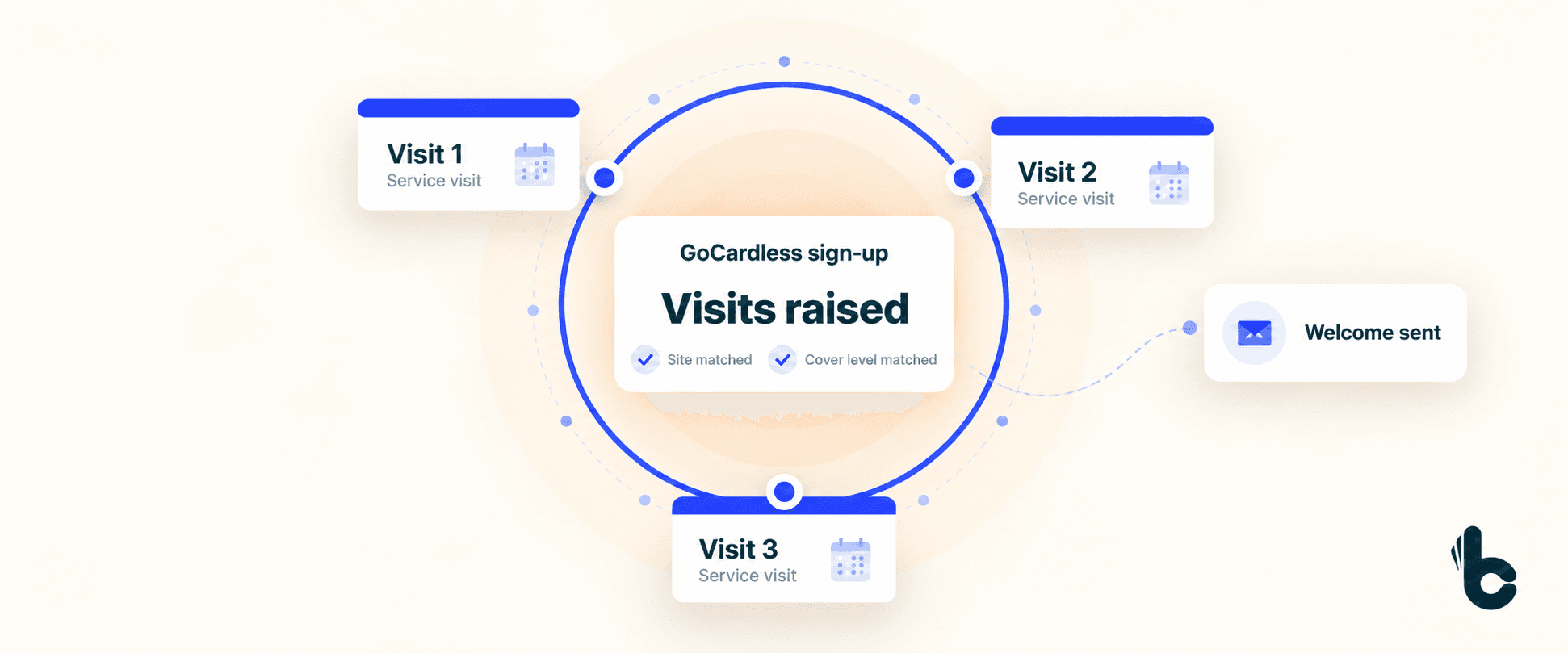
When a customer signs a Direct Debit mandate or makes a payment through GoCardless, Build Concierge can turn that event into a schedule of recurring service visits. It matches the customer and site in your connected job management system, creates visits for the cover level they bought and sends a welcome email.
Why new contracts wait for setup
The customer has signed up. Now your team needs to make sure the service they bought actually happens.
That means finding the right customer and site, checking the cover level and creating every visit for the agreed term. An annual service needs one schedule. A plan with more frequent visits needs another.
It is straightforward work, but it competes with today’s callouts, tomorrow’s diary and the phone that keeps ringing.
Meanwhile, the customer is waiting to hear what happens next. If the visits have not been created, your planners have nothing to work from.
Build Concierge connects the sign-up to the work your business has promised to deliver. Each new contract can move into service setup without waiting for someone to build its visit schedule by hand.
How service contract automation works
- The agreed GoCardless event starts the workflow. This can be the Direct Debit mandate sign-up or payment event configured for your process.
- The customer and site are matched. Build Concierge finds the relevant records in your job management system.
- The cover level determines the visits. Your contract tiers are mapped to the frequency and service visits they include.
- The recurring visits are created. The schedule is raised against the right site for the agreed term.
- The customer receives a welcome email. It confirms what their service contract includes.
What this looks like in practice
Suppose a customer signs up for a plan that includes quarterly visits over a year. Once the configured event arrives, Build Concierge matches the site and creates the four visits that plan requires.
The customer receives their welcome email, and your team has the visit records ready for planning.
The example is illustrative. The number and timing of visits follow your own contract definitions.
What changes for your business
- New contracts become visible work.
Your team can see the visits the business has committed to deliver, with less manual setup between the sale and service planning.
- Each customer gets the schedule their plan includes.
Mapping visits to the cover level helps your team apply the same service promise consistently.
- The relationship starts with a clear welcome.
The customer receives confirmation of what they have bought and what their contract includes.
- Contract growth creates less repetitive admin.
Each additional sign-up can follow the agreed process, giving your office more time to support customers and manage the service itself.
What you need to get started
You need:
- GoCardless configured for the contracts you sell.
- A connected job management system that supports the workflow.
- Clear cover levels, visit frequencies and contract terms.
- Customer and site information that can be matched reliably.
- Agreed welcome email content.
Your cover levels are the starting point. We translate what each plan includes into the visits your system needs to create.
Set up your first contract workflow
Choose one contract tier to begin with.
- Map the plan. We agree which visits it includes, how often they occur and how far ahead they should be raised.
- Connect the sign-up to the right records. We establish the GoCardless trigger, the customer and site matching, and the welcome message.
- Test the complete process. You check a sample sign-up, its visit schedule and the email before the workflow runs live.
We also agree how your existing cancellation and amendment processes will handle visits that have already been created.
Common Questions
Yes. The workflow described here starts from a GoCardless event. If you use another payment platform, ask us to review the integration and triggers available.
Yes. Each level is mapped to its own schedule, so the visits reflect the plan the customer bought.
This workflow creates the recurring visit records. Engineer allocation and customer appointment confirmation should be agreed separately as part of your scheduling process.
Yes. The setup can reflect a domestic service plan or a commercial maintenance agreement, using the relevant customer, site and cover level.
Yes. Once created, the visits are ordinary records in your job management system and can be amended through your usual process.
Cancellation follows your agreed process. During setup, define what should happen to future visits already raised.
See one of your contracts set itself up
Get in touch with the Build Concierge team and we’ll set it up around the way you work.
More from the knowledge centre
Flag high risk jobs as they arrive
Put jobs that need a closer look in front of the right person. Build Concierge scores incoming job notifications against your chosen risk factors, then flags jobs that reach your threshold and alerts the owner.

Automate engineer compliance feedback
Give every engineer feedback they can act on, with their manager kept informed. Build Concierge turns completed compliance audits into personalised feedback: what went well, where to improve, anything urgent and a clear action plan. The engineer receives an email, their manager gets the same summary, and every section is saved back to the job.

Automate welfare checks for lone engineers
Check in by call, WhatsApp or text at the times you set. Ringing round lone engineers every few hours takes your office away from other work. Build Concierge runs those checks in the background, logs every reply against the job and alerts your chosen contact if an engineer needs help or does not respond. Your team gets time back, and every check is on record.

Send the service list. Let AI make the calls.
Email a CSV of service jobs. Your AI Concierge Receptionist calls each customer to ask when suits them for a visit. Their availability is recorded against the job, ready for your team to book in.

Automate job card follow-ups
Your AI Receptionist calls or texts the engineer for the details your office needs. Missing job details can hold up invoices and delay quotes for further works. Build Concierge spots the gaps, asks the engineer for exactly what is needed and adds their answers to the job card. Your team can receive an update each time if you choose.

Automated job status checks, tailored to what your team needs to see
You agree what Build Concierge checks, which jobs it flags and when. It then reviews the statuses recorded in your job management system and emails your team a short summary after each check.

Flag high risk jobs as they arrive
Put jobs that need a closer look in front of the right person. Build Concierge scores incoming job notifications against your chosen risk factors, then flags jobs that reach your threshold and alerts the owner.
Automate engineer compliance feedback
Give every engineer feedback they can act on, with their manager kept informed. Build Concierge turns completed compliance audits into personalised feedback: what went well, where to improve, anything urgent and a clear action plan. The engineer receives an email, their manager gets the same summary, and every section is saved back to the job.
Automate welfare checks for lone engineers
Check in by call, WhatsApp or text at the times you set. Ringing round lone engineers every few hours takes your office away from other work. Build Concierge runs those checks in the background, logs every reply against the job and alerts your chosen contact if an engineer needs help or does not respond. Your team gets time back, and every check is on record.
Send the service list. Let AI make the calls.
Email a CSV of service jobs. Your AI Concierge Receptionist calls each customer to ask when suits them for a visit. Their availability is recorded against the job, ready for your team to book in.
Automate job card follow-ups
Your AI Receptionist calls or texts the engineer for the details your office needs. Missing job details can hold up invoices and delay quotes for further works. Build Concierge spots the gaps, asks the engineer for exactly what is needed and adds their answers to the job card. Your team can receive an update each time if you choose.
Automated job status checks, tailored to what your team needs to see
You agree what Build Concierge checks, which jobs it flags and when. It then reviews the statuses recorded in your job management system and emails your team a short summary after each check.
Flag high risk jobs as they arrive
Put jobs that need a closer look in front of the right person. Build Concierge scores incoming job notifications against your chosen risk factors, then flags jobs that reach your threshold and alerts the owner.
Automate engineer compliance feedback
Give every engineer feedback they can act on, with their manager kept informed. Build Concierge turns completed compliance audits into personalised feedback: what went well, where to improve, anything urgent and a clear action plan. The engineer receives an email, their manager gets the same summary, and every section is saved back to the job.
Automate welfare checks for lone engineers
Check in by call, WhatsApp or text at the times you set. Ringing round lone engineers every few hours takes your office away from other work. Build Concierge runs those checks in the background, logs every reply against the job and alerts your chosen contact if an engineer needs help or does not respond. Your team gets time back, and every check is on record.
Send the service list. Let AI make the calls.
Email a CSV of service jobs. Your AI Concierge Receptionist calls each customer to ask when suits them for a visit. Their availability is recorded against the job, ready for your team to book in.
Automate job card follow-ups
Your AI Receptionist calls or texts the engineer for the details your office needs. Missing job details can hold up invoices and delay quotes for further works. Build Concierge spots the gaps, asks the engineer for exactly what is needed and adds their answers to the job card. Your team can receive an update each time if you choose.
Automated job status checks, tailored to what your team needs to see
You agree what Build Concierge checks, which jobs it flags and when. It then reviews the statuses recorded in your job management system and emails your team a short summary after each check.